

Xiaomi HyperOS 4 BETA Updates starts releasing to first batch devices, list is mentioned below with proper changelog and more. Everyone was waiting for this update and its finally here with bunch of new changes, size of the update is between 8.5GB to 10.5GB. It is the first update for all devices which got released, and in this article you will get latest details regarding that.
HyperOS 4 BETA Updates
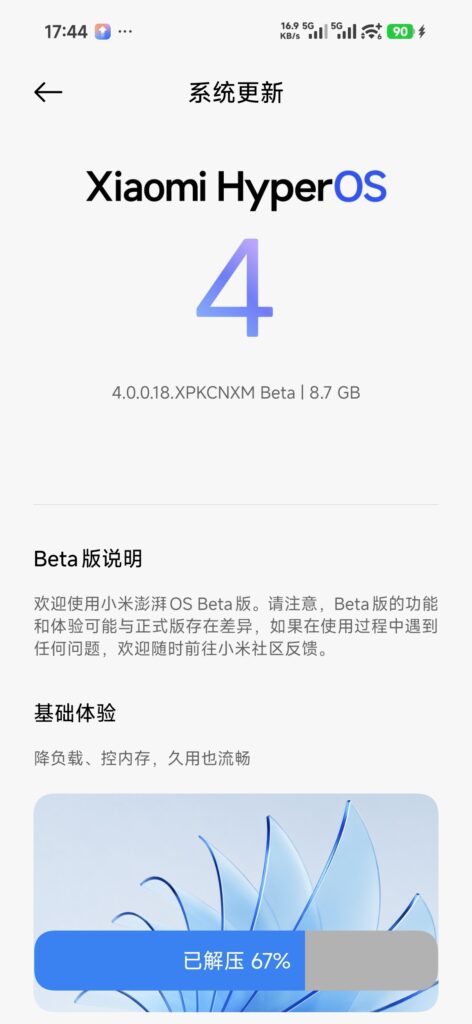
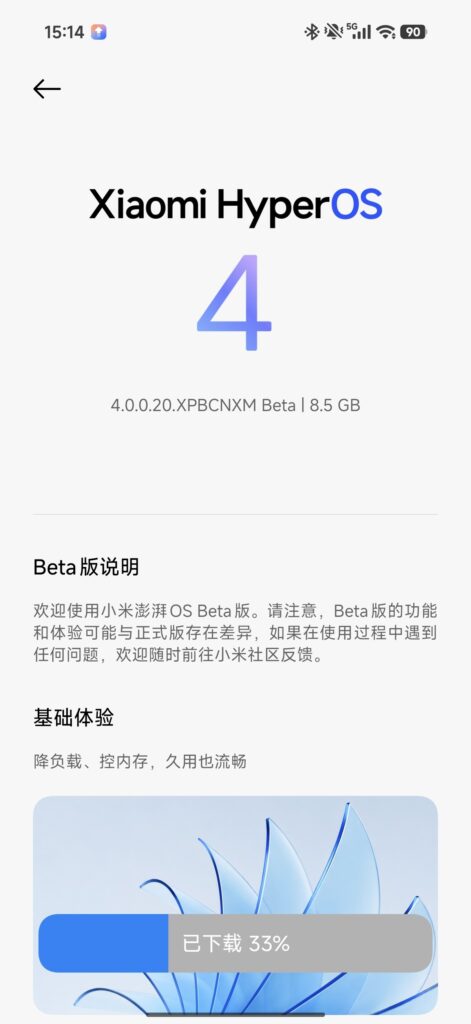
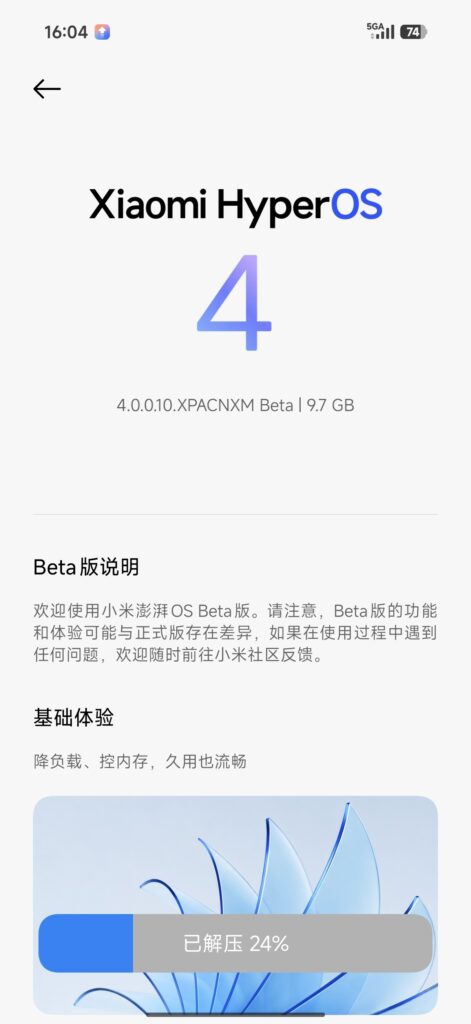
Xiaomi 17 Series, Xiaomi Pad 8 Series and REDMI K90 Series have officially started receiving the HyperOS 4 Android 17 Updates. Every user is very excited for this, as it comes with new changes and more. SOTA is also enabled, and it is D00 in the first BETA Update of HyperOS 4.
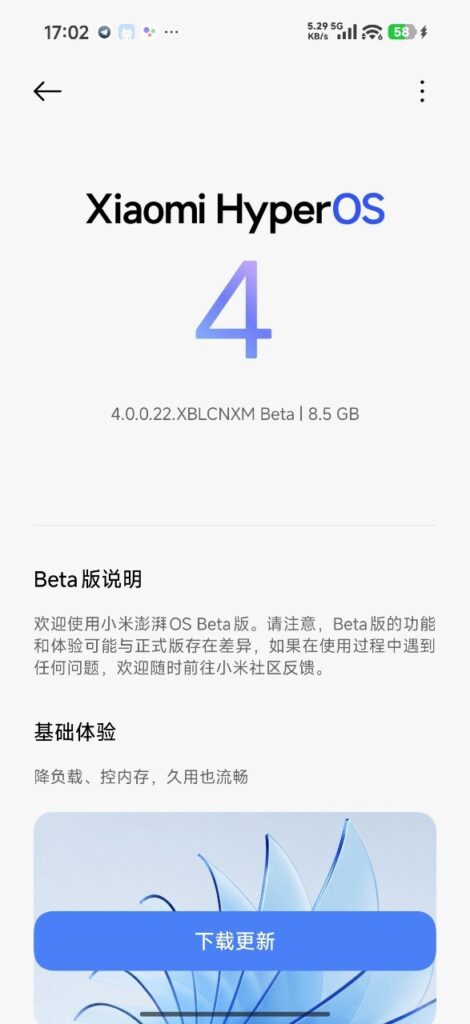
Changelog
- Basic Experience: Lower Load, Controlled Memory Usage—Smooth Even with Long-term Use
- NEW: 精算 Load Precision Technology with full-link comprehensive tuning.
- Optimized system load scheduling and removed redundant instructions to boost operational efficiency and lower power consumption.
- Optimized CPU calculation and GPU rendering loads for better power savings during operation.
- Optimized graphics rendering load to reduce UI rendering power consumption and minimize stuttering.
- Optimized game frequency scaling algorithms to enhance frame rate stability during heavy-load scenarios (e.g., team fights).
- NEW: Memory Pre-allocation Technology for faster app responsiveness.
- Optimized memory reservation and allocation mechanisms to streamline resource usage, reducing memory footprint at boot.
- Optimized background resource scheduling and loading strategies—loading and releasing on demand based on usage scenarios, running at staggered times for lower memory usage and smoother performance.
- Optimized memory pre-trimming and flash storage pre-reading mechanisms to reduce random lag and frame drops, enabling faster app cold starts and quicker responses.
- NEW: Xiaomi HyperOS App Execution Environment to improve operating smoothness and resource efficiency for system apps.
- Optimized desktop and gallery interaction experiences for a smoother interface and better touch responsiveness.
- Optimized background activity for Gallery and Weather to reduce CPU consumption and memory usage.
- Super XiaoAI: Upgraded to Super XiaoAI 2.0—Smarter and More Effortless
- New Interactions: NEW: Adapted Super XiaoAI 2.0 to Xiaomi Dynamic Island. Long AI task execution processes update in real-time on the Island, automatically expanding into notifications upon task completion.
- Optimized the default voice tone of Super XiaoAI for a more natural sound effect.
- Optimized the main home display: click bottom tabs to view history tasks, personal homepage, and start new conversations.
- Expert Mode: NEW: Super XiaoAI 2.0 now supports Expert Mode, capable of executing complex and scheduled tasks cross-app and cross-device. Paired with cloud office suites, document processing and web page creation can be handled seamlessly in the cloud.
- Memories and memory preferences now sync across phones, tablets, and PCs.
- Supports cross-device file transfer (send files from PC to phone) and cross-device file search across phones, tablets, and PCs.
- Supports one-sentence device commands (e.g., one-sentence screen casting).
- Supports one-sentence generation of Webpages, PPTs, Word, Excel, and PDF files, along with cloud file capabilities like document format conversion.
- Real-time phone notification sync to tablets and PCs, with support for replying on tablets/PCs via Mi Seamless Desktop.
- Privacy Protection: NEW: Super XiaoAI 2.0 introduces privacy protection features. The AI controls apps and accesses data strictly within user-authorized boundaries. Sensitive operations require prior confirmation to reduce accidental action risks.
- NEW: Added a Memory Management page in Super XiaoAI 2.0, supporting manual management of authorization scopes and local encrypted storage.
- Life Design Aesthetics: Refreshed Visuals, Exquisite Matte Glass
- NEW: Soft-light matte glass material that adapts to ambient colors and auto-adjusts transparency for a richer visual texture.
- NEW: Soft-light glass lighting effects that dynamically respond to user operations.
- NEW: Lock screen clock fonts are now fully customizable (adjust text width, height, position, font style, and material design).
- NEW: Notification stacking effect—messages can now stack neatly at the bottom of the lock screen and notification center for easier operation and smoother animations.
- NEW: Desktop widgets support stacked displays; swipe up and down to switch between various shapes and layout styles.
- NEW: Desktop folders allow edge-dragging to resize freely.
- NEW: Flexible floating framework with refreshed system app designs, adapting seamlessly to multi-size screen form factors.
- NEW: Seamless “One-Take” animations for third-party apps for smoother switching.
- Optimized open/close animations for landscape apps and multi-window rotation animations.
- System Apps Fully Optimized: Core System Apps Upgraded—Notes and Recorder Are Better Than Ever
- Notes: NEW: Real-time speech-to-text transcription inside notes with automatic AI summaries.
- NEW: AI summary templates for Meetings, Interviews, Classes, and General scenarios for clearer structured notes.
- NEW: Importing local audio or images automatically generates AI notes.
- NEW: Call Super XiaoAI directly within Notes for content Q&A, note editing, and other AI capabilities.
- Super XiaoAI Input Method: NEW: Supports voice input automatically polished by AI into clear, structured text. AI generates context-aware chat replies, adjustable to Personal, Formal, or Humorous tones.
- NEW:AI Translation for real-time Chinese-English translation via typing or voice.
- NEW: Auto-fill feature for ID and card information.
- Recorder: NEW: Timeline outline view for recording content to quickly locate and jump to target timestamps. Smart summaries tailored to marked key points.
- NEW: AI summary templates for meetings and general scenarios with structured output. Skip Silence feature automatically skips silent segments during playback.
- Others: NEW: File Manager adds a Recently Deleted folder to recover deleted files anytime. NEW:Repeat & Direct Action feature for quick text operations like ID info extraction, calling numbers, and initiating navigation. Optimized Calendar event details page display based on event types.
- Interconnection: Multi-Device Synergy, “Human x Car x Home” Ecosystem: NEW: One-tap switching between multiple homes with card-based drag-and-drop customization. NEW: Upgraded Xiaomi Interconnectivity Service for PC/Mac—supports transferring files and syncing notifications across phones and tablets via Super XiaoAI 2.0. NEW: Dual-phone interconnection—calls and SMS verification codes sync bi-directionally between two Xiaomi phones. Users can answer calls or read/copy SMS directly from either device. (Requires setting enablements under Settings > Interconnection > Cross-Device Notifications on both devices logged into the same Xiaomi account).
- Security & Privacy: Fast and Secure Photo Searching. NEW: Photo & Video Security Access Control can now pull album collections and supports smart search. NEW: Reset Lock Screen Password protection: within 96 hours after recording a fingerprint, you can reset your password using your old password combined with your fingerprint.
Builds
- Xiaomi 17 HyperOS 4 Android 17 OS4.0.0.9.XPCCNXM BETA Update: Download
- Xiaomi 17 Ultra HyperOS 4 Android 17 OS4.0.0.10.XPACNXM BETA Update: Download
- Xiaomi 17 Pro HyperOS 4 Android 17 OS4.0.0.22.XBLCNXM BETA Update: Download
- Xiaomi 17 Pro Max HyperOS 4 Android 17 OS4.0.0.20.XPBCNXM BETA Update: Download
- Xiaomi Pad 8 HyperOS 4 Android 17 OS4.0.0.23.XPZCNXM BETA Update: Download
- Xiaomi Pad 8 Pro HyperOS 4 Android 17 OS4.0.0.24.XPYCNXM BETA Update: Download
- REDMI K90 HyperOS 4 Android 17 OS4.0.0.18.XPKCNXM BETA Update: Download
- REDMI K90 Pro Max HyperOS 4 Android 17 OS4.0.0.15.XPMCNXM BETA Update: Download
Conclusion
So these updates are released for these devices, if you want to ask anything related to that so comment now and share your thoughts for the HyperOS 4 Android 17.
Pingback: POCO X7 Pro HyperOS 4 Testing Starts: Android 17 And New Features Coming Soon - HyperOS Insider
Pingback: HyperOS 4 Soft Glass Confirmed For More Xiaomi, REDMI And POCO Devices - HyperOS Insider
Pingback: HyperOS 4 Second Batch Updates Released: Xiaomi 15 Series And More Devices Received - HyperOS Insider